Plays are the fastest way to put Otto to work. Each play is a complete, prebuilt booking job: tap it, answer a couple of plain questions, press Run it, and Otto handles the rest while you watch. You'll find them on the Plays tab in the right pane.
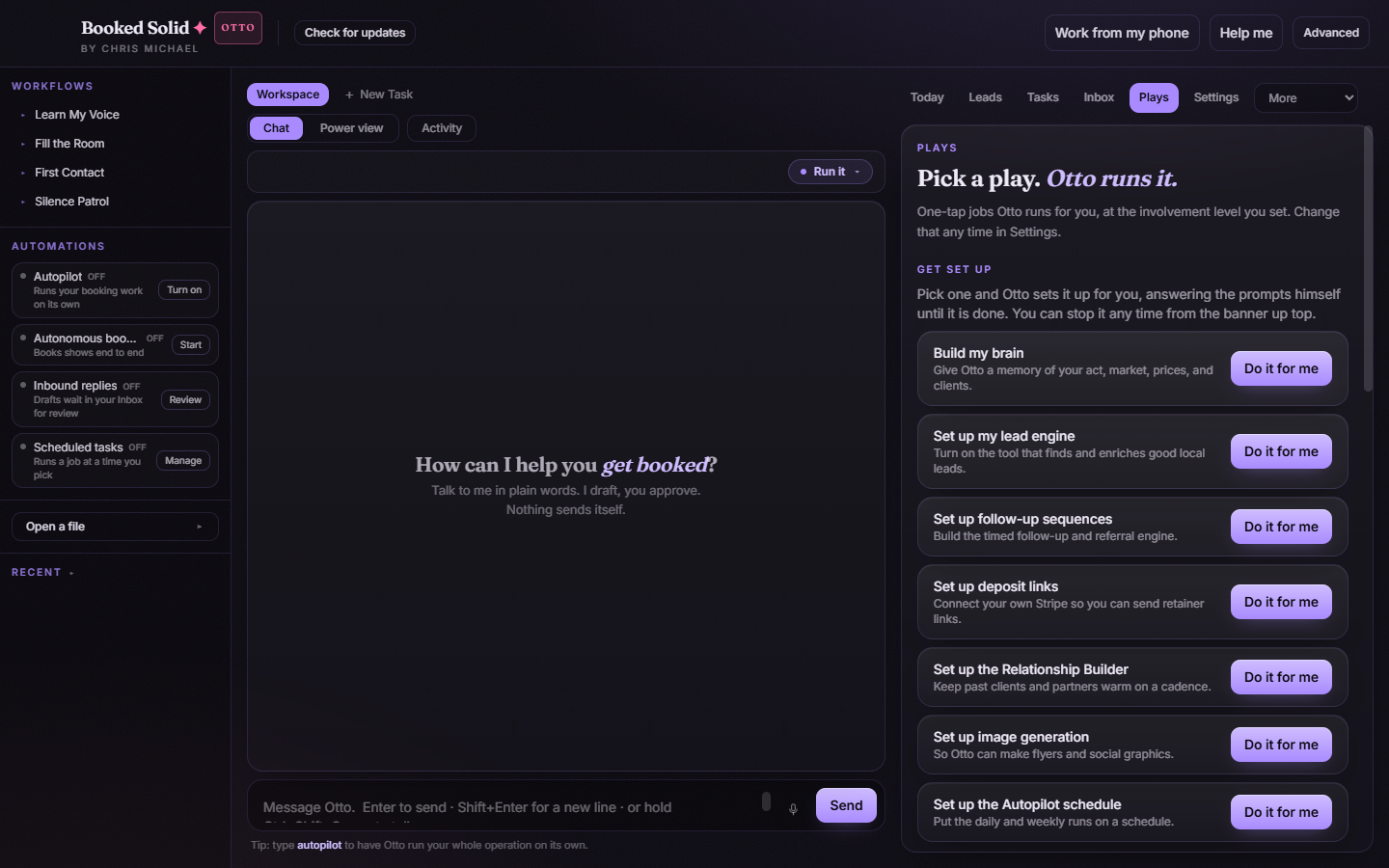
Start here: Learn My Voice
The featured play at the top of the catalog is Learn My Voice. Run it first - it's how Otto picks up the way you actually sound, so everything he drafts afterward reads like you wrote it.
The Books gigs group
These are the money plays, covering the booking cycle from first touch to a locked date:
- Fill the Room
- Score & Sort
- First Contact
- Silence Patrol
- Handle the Reply
- Build Proposal
- Lock It In
- The Flywheel
The Everything else group
Below the money plays sits everything that keeps the operation sharp:
- Learn My Business
- Know My Act
- Audit My Website
- Show Ready
- Build Rider
- Warm Desk
- Business Check-In
Reorder the catalog your way
Hold the drag handle on any play card and drag it to a new spot, or use the up and down arrow buttons. The order you set persists, so the plays you run most stay right at the top.
How to run a play
- Open the Plays tab and tap the play you want.
- A small controls window opens. The questions stay human: choice selects, a tone picker, and text or number fields, each with a short hint. Depending on the play you might set the tone, your floor rate, quiet days, how many leads to work, or your website URL.
- Press Run it. Changed your mind? Press Not now and nothing happens.
- The job starts right away, and you can watch every step in Activity.
The Second Look: an extra safety net
There's one simple rule behind the scenes. Plays that only produce drafts skip the extra check, because a draft can't hurt anything until you send it. Plays that act on your behalf get a Second Look: after the run finishes, an independent read-only check re-verifies the result. You'll see the verdict as a chip in Activity - Second look OK, Needs you, or Couldn't confirm - so you always know whether the work checked out.
Still stuck? Submit a ticket from this help center and we'll take it from there.
Was this article helpful?
That’s Great!
Thank you for your feedback
Sorry! We couldn't be helpful
Thank you for your feedback
Feedback sent
We appreciate your effort and will try to fix the article