Booked Solid OS comes in two plans: Pearl and Otto. Pearl is the full app with you at the controls - Otto drafts, you approve, and nothing sends itself. The Otto plan adds the unattended layer on top: Autopilot, scheduled runs, phone approvals, and hands-off weekly EPIN sends. Here is exactly what each plan unlocks so you know what you have and what an upgrade would add.
How your plan is decided
Your license carries your tier. When you activate or sign in, the app checks your license and unlocks the matching features automatically - there is nothing to configure. If you own the Otto plan, an Otto tier badge appears in the top bar, right next to the locked "Booked Solid by Chris Michael" credit. On Pearl, no badge shows.
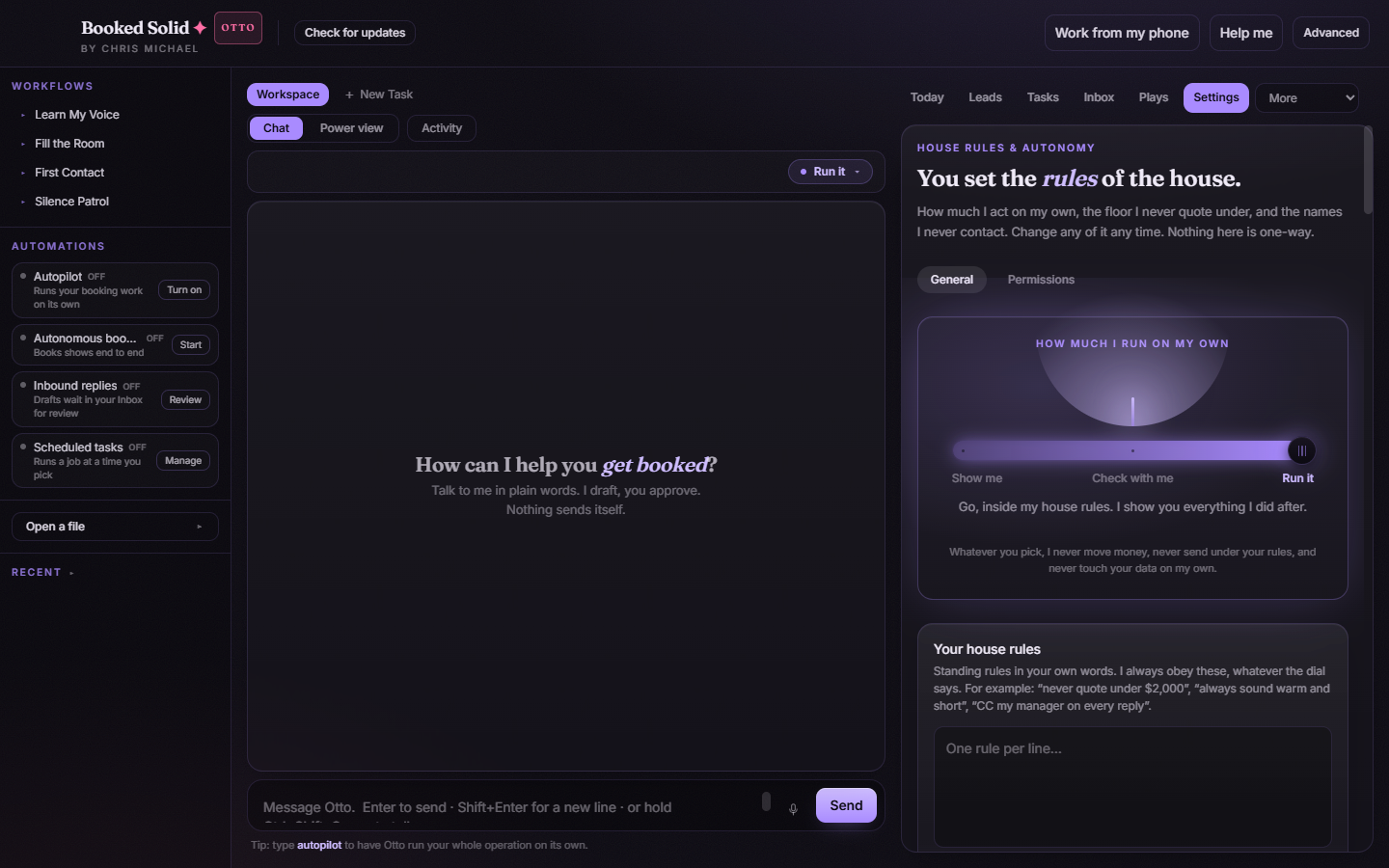
What Pearl includes
Pearl is the complete hands-on experience. You get the chat with Otto, the full catalog of one-tap Plays and setup recipes that you run yourself, the Today briefing, Leads, Tasks, the Inbox digest, the Dashboard, the Brain, Connectors, and Studio. You can also join EPIN and send your weekly postcard yourself with the Send now button. In short: everything Otto can do while you are sitting in front of the app.
What the Otto plan unlocks
Otto-gated features are the ones that run without you watching:
- Autopilot: turn on unattended runs from the sidebar or by typing "autopilot" in chat. On Pearl, this button opens an Upgrade to Autopilot prompt instead.
- The Autopilot schedule recipe: the "Set up the Autopilot schedule" card in the Plays tab puts daily and weekly runs on a schedule. On Pearl, the same card reads Upgrade to schedule.
- The Booth: phone approvals via Telegram, so parked decisions reach you as Approve/Reject cards wherever you are. On Pearl, the Booth card in Settings shows an Upgrade to Otto button.
- EPIN unattended weekly send: on Otto, your weekly EPIN postcard sends itself and saves a receipt. On Pearl, you press Send now yourself.
- Plays that start themselves: the per-play opt-in toggles in Settings that let event-triggered plays kick off on their own.
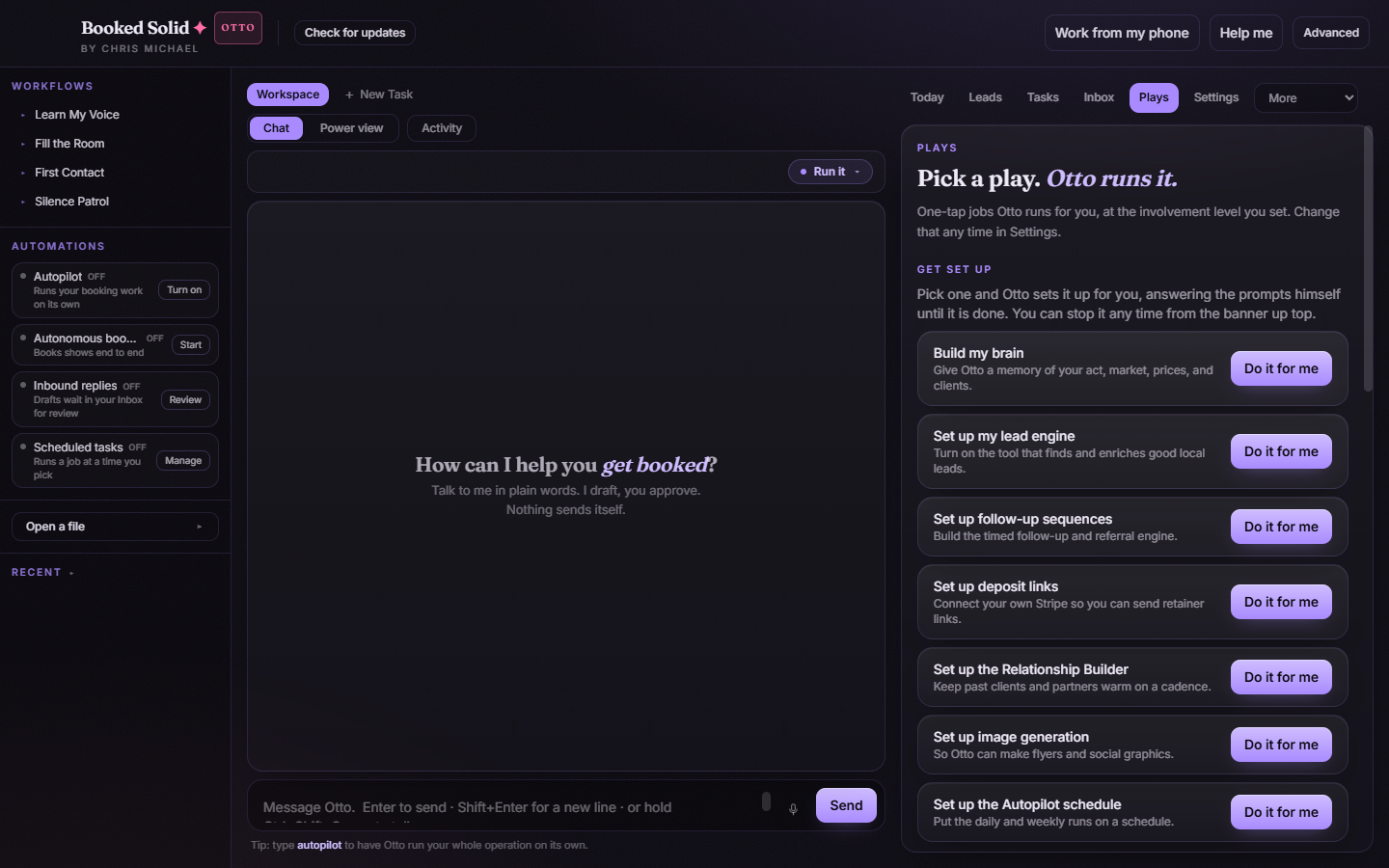
On an Otto account, the schedule recipe shows a regular "Do it for me" button, as in the screenshot above. On Pearl it reads "Upgrade to schedule" instead.
How to tell which plan you are on
- Look at the top bar: if you see the Otto badge next to the Booked Solid credit, you are on Otto.
- Open the Plays tab: if the "Set up the Autopilot schedule" recipe says Upgrade to schedule, you are on Pearl.
Ready to move up
Every Upgrade to Otto, Upgrade to Autopilot, and Upgrade to schedule button in the app opens the same upgrade page at https://booked.kivimedia.co/upgrade. See the article "Upgrade from Pearl to Otto" for the full walkthrough.
Still stuck? Submit a ticket from this help center and we'll take it from there.
Was this article helpful?
That’s Great!
Thank you for your feedback
Sorry! We couldn't be helpful
Thank you for your feedback
Feedback sent
We appreciate your effort and will try to fix the article