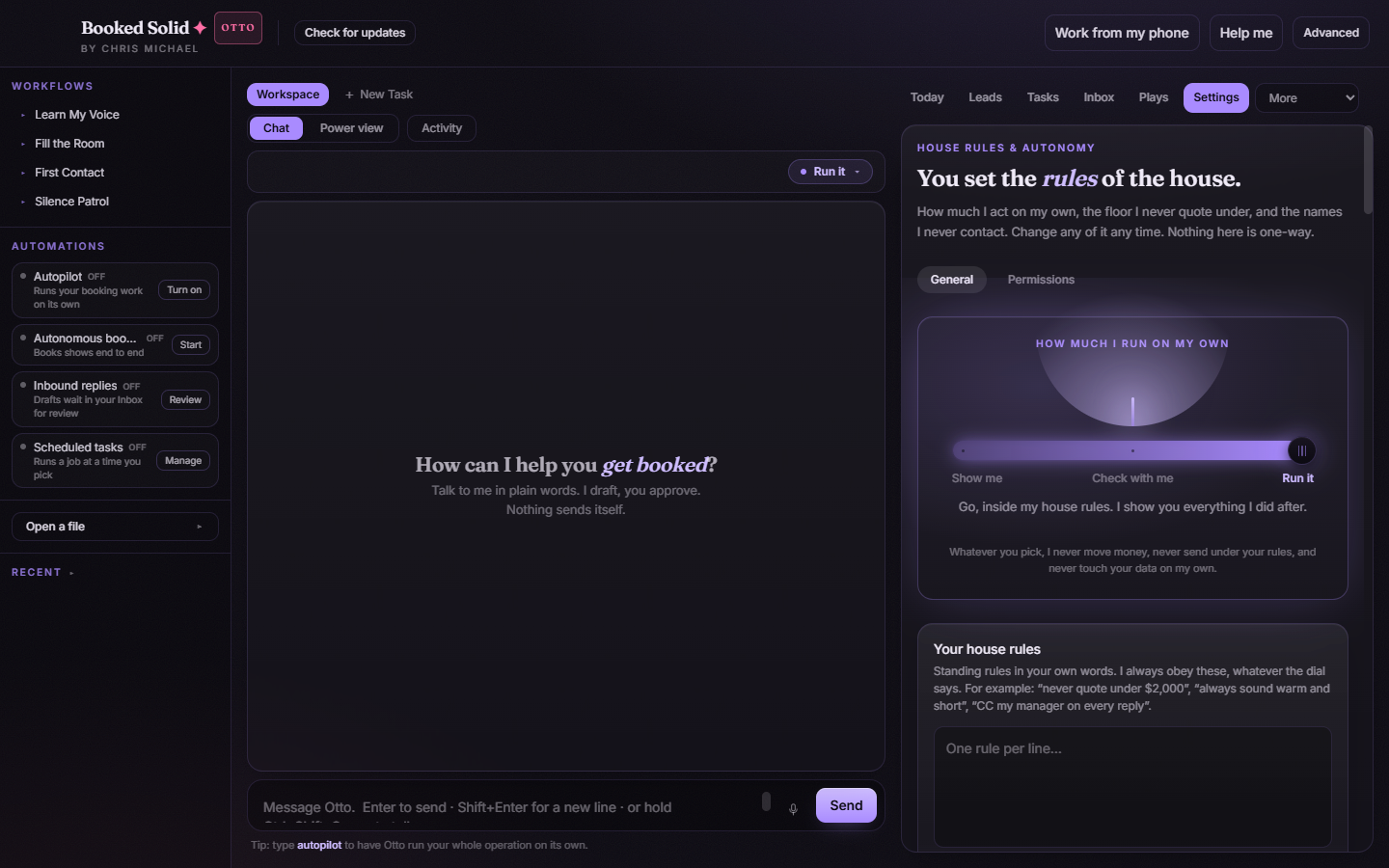
The autonomy dial decides how much Otto does on his own before checking with you. There are three levels - Show me, Check with me, and Run it - and you can set one default for the whole app plus a different level for any single task.
The three levels
- Show me - the most hands-on level. Otto shows you what he would do and waits for you at every meaningful step.
- Check with me - Otto prepares the work, then pauses and asks before anything goes out.
- Run it - Otto goes ahead inside your house rules and shows you everything he did after. On the per-task pill in Chat, this level is labeled Run for me.
Whatever level you pick, Otto never moves money, never sends anything that breaks your house rules, and never touches your data on his own. Your floor rate and never-contact list are enforced at every Approve button regardless of where the dial sits.
Set the app-wide default
- Open Settings in the right pane and stay on the General sub-tab.
- The autonomy dial spotlight sits right at the top, under "How much I run on my own".
- Slide the dial to the level you want. This becomes the default for everything Otto does.
Change it for a single task
- Open any task tab in Chat view.
- Click the autonomy pill. A small popover opens with the three levels: Show me, Check with me, Run for me. The current level is highlighted.
- Pick a level. It applies to this task only, and the app-wide default stays as it was.
This is handy when one job deserves extra caution - say, a delicate client thread on Show me - while the rest of your work runs at your usual level.
Scheduled and standing work follows the same dial
Anything Otto does on a schedule or in the background - scheduled tasks, self-starting plays, and other standing work - follows the same autonomy level and the same house rules as jobs you start by hand. There is no separate, looser mode for automation.
Which level should you start with?
Most performers start on Check with me: Otto does the legwork, and you approve what goes out. Move up to Run it once your house rules (floor rate, never-contact list, follow-up caps) are set the way you like, and drop to Show me any time you want to watch a job closely.
Still stuck? Submit a ticket from this help center and we'll take it from there.
Was this article helpful?
That’s Great!
Thank you for your feedback
Sorry! We couldn't be helpful
Thank you for your feedback
Feedback sent
We appreciate your effort and will try to fix the article