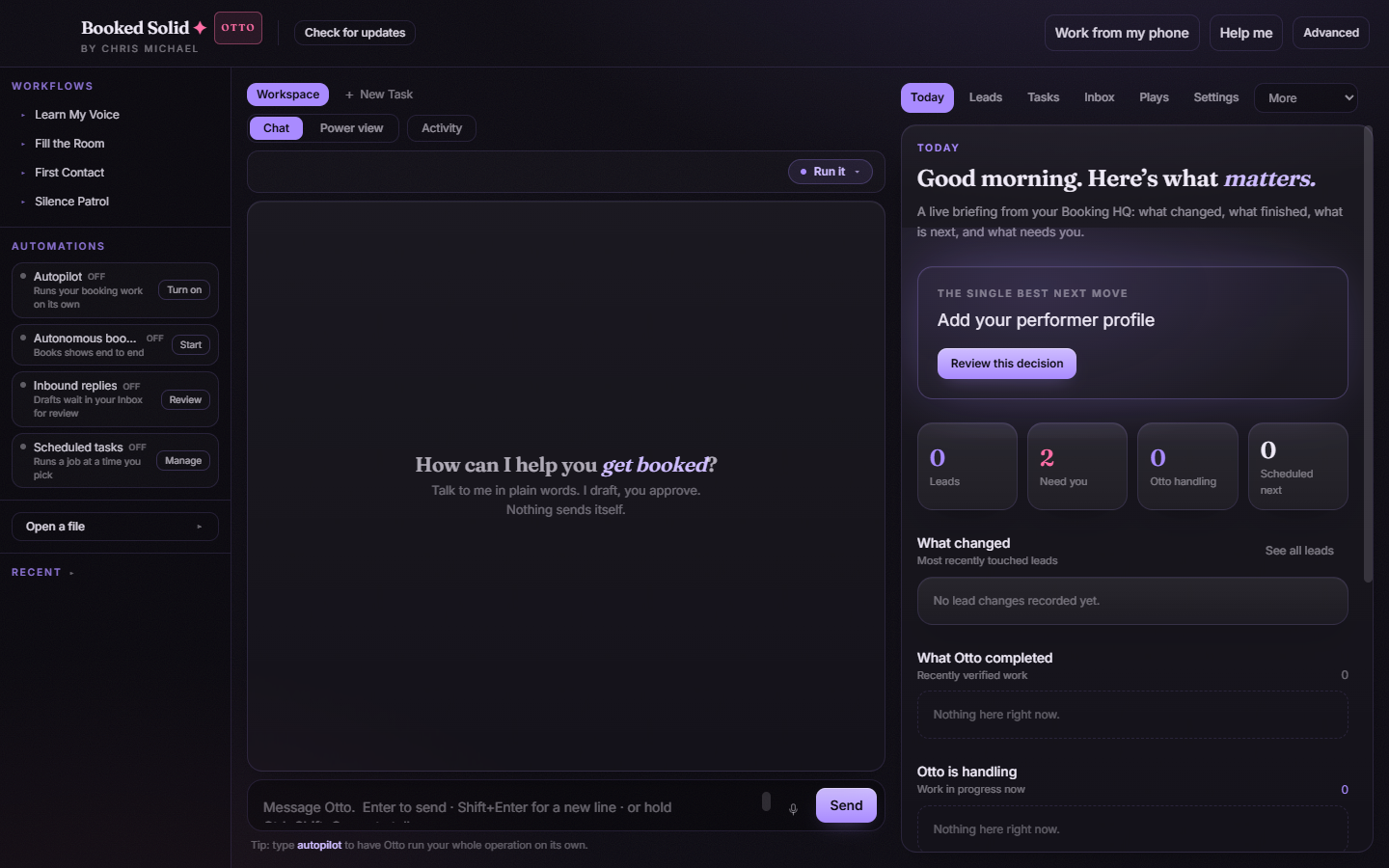
The Today tab is your daily briefing. Open Booked Solid and it is the first thing you see in the right pane: a live summary from your Booking HQ covering what changed, what finished, what is coming next, and what needs you. One glance in the morning and you know exactly where to spend your attention.
Where to find it
Look at the right pane of the app. The tab row across the top reads Today, Leads, Tasks, Inbox, Plays, Settings, and More. Today is the default tab, so it is already selected whenever you open the app.
The single best next move
At the top of the briefing sits a spotlight card labeled "The single best next move." This is the one action that matters most right now, picked from everything the app knows about your booking work. Click Review this decision to jump straight to it and act.
The four stat buttons
Below the spotlight are four counters. Each one is a button - click it and the app takes you to the matching view:
- Leads - how many leads are in your pipeline.
- Need you - decisions parked and waiting on your call.
- Otto handling - work Otto is running right now.
- Scheduled next - work queued to run later.
What changed
The "What changed" section shows your most recently touched leads as cards, so you can spot movement at a glance. Click See all leads to open the full pipeline in the Leads tab.
What Otto completed, and what he is handling
Two lists keep the work honest:
- What Otto completed - recently verified work that is done.
- Otto is handling - work in progress right now.
Follow-ups and decisions
Further down the briefing you will find:
- Follow-ups - leads due for a nudge. Click any entry and it opens in the Leads tab.
- Needs your decision - items stopped safely until you choose what happens.
Going deeper
Two buttons take you from the summary to the full picture: See every task opens the Tasks tab with everything queued, running, and done, and Open Activity opens the live Activity view where you can watch work happen step by step.
A one-minute morning routine
- Open the app - the Today tab is already showing.
- Read the single best next move. If it needs you, click Review this decision.
- Scan the four stat buttons. If Need you is above zero, click it and clear the decisions.
- Glance at What changed and Follow-ups to catch leads that moved or are due for a nudge.
Still stuck? Submit a ticket from this help center and we'll take it from there.
Was this article helpful?
That’s Great!
Thank you for your feedback
Sorry! We couldn't be helpful
Thank you for your feedback
Feedback sent
We appreciate your effort and will try to fix the article