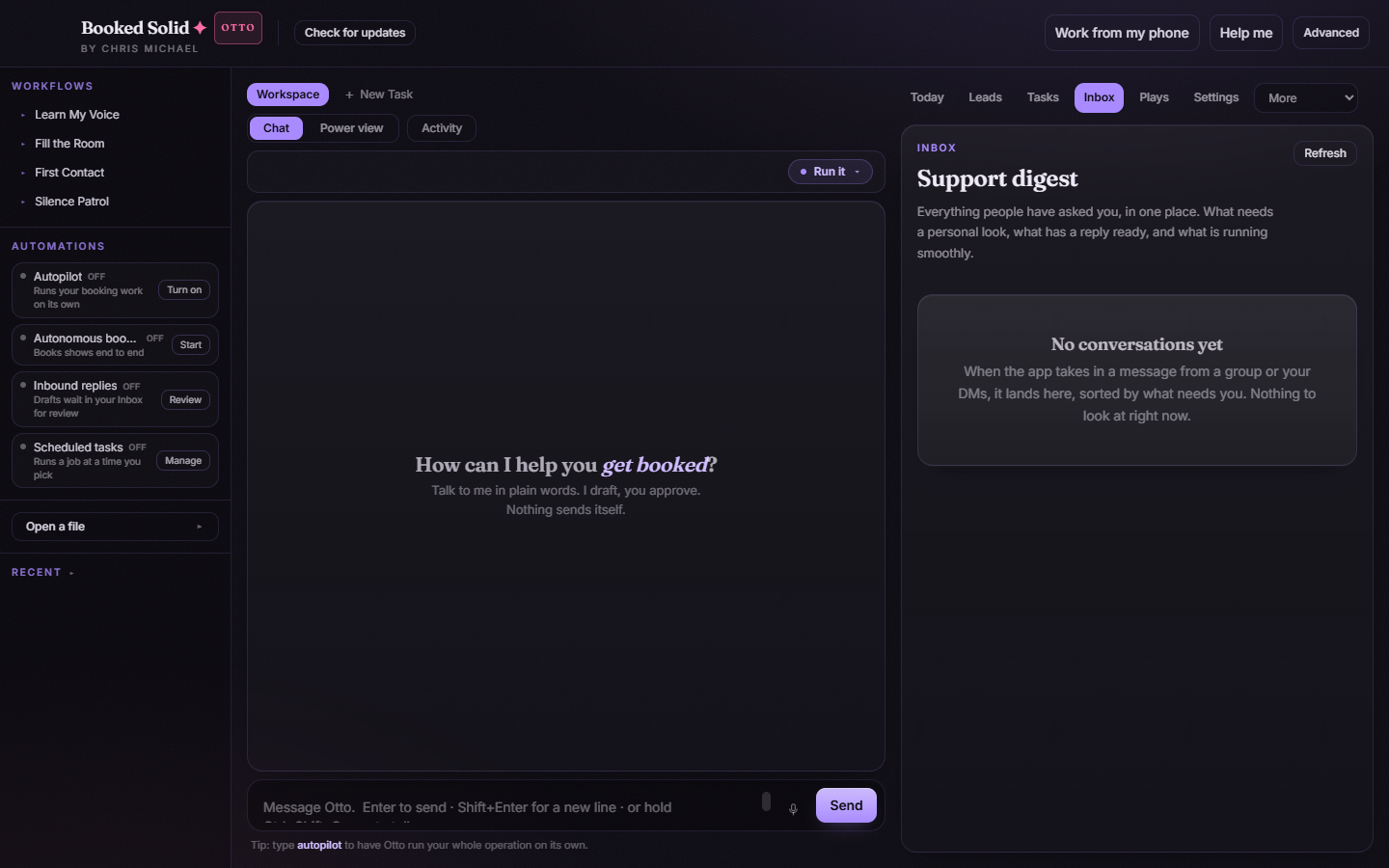
The Inbox is your support digest: every conversation the app has taken in - from groups, from DMs, or dropped in by you - collected in one place and sorted by what needs you. Drafted replies wait here for your review, and one rule holds above everything: you send every reply yourself. The app never claims it posted for you.
Open the Inbox
In the right pane, click Inbox in the tab row. You can also get here from the left sidebar: the Inbound replies row has a Review button that opens this tab. Use the Refresh button in the top corner to pull in the latest conversations.
How conversations are grouped
Every item in the digest is triaged into one of six groups, so the list reads in priority order:
- Needs you - conversations that want a personal look before anything happens.
- Reply ready - a draft is written and waiting for your review.
- Waiting on them - you replied, and the ball is in their court.
- Follow ups - conversations due for a nudge.
- Handled - already taken care of.
- All good - nothing to do here.
Review and send a drafted reply
- Find the conversation in the Reply ready group.
- Read the draft reply block. If the wording is not quite you, click Edit, make your changes, and click Save - or Cancel to keep the original draft.
- Click Open & copy. This opens the original post and copies your reply to the clipboard in one move.
- Paste the reply where the conversation lives and send it yourself.
- Back in the app, answer the confirmation: click I sent it to mark the conversation replied, or Not yet if you decided to wait.
If you just want to look at the original conversation without copying anything, use the item's Open button instead - it opens the original post on its own.
Why you press send
Booked Solid drafts, you approve, and you post. Replies in the Inbox are never sent on your behalf, and the app never marks a conversation as replied unless you confirm it with I sent it. That keeps your name on your words and keeps your records honest - the digest only ever reflects what actually happened.
If the Inbox is empty
"No conversations yet" simply means the app has not taken in any messages so far. As soon as it takes in a message from a group or your DMs, it lands here, sorted by what needs you.
Still stuck? Submit a ticket from this help center and we'll take it from there.
Was this article helpful?
That’s Great!
Thank you for your feedback
Sorry! We couldn't be helpful
Thank you for your feedback
Feedback sent
We appreciate your effort and will try to fix the article