The Tasks tab shows all of Otto's work in motion: what he is handling right now, what is stopped and waiting on you, what is scheduled to run next, and what already finished. It is the complete work list behind the Today briefing - nothing queued, running, or done is hidden from you.
Open the Tasks tab
In the right pane, click Tasks in the tab row. You can also land here from the Today tab by clicking See every task.
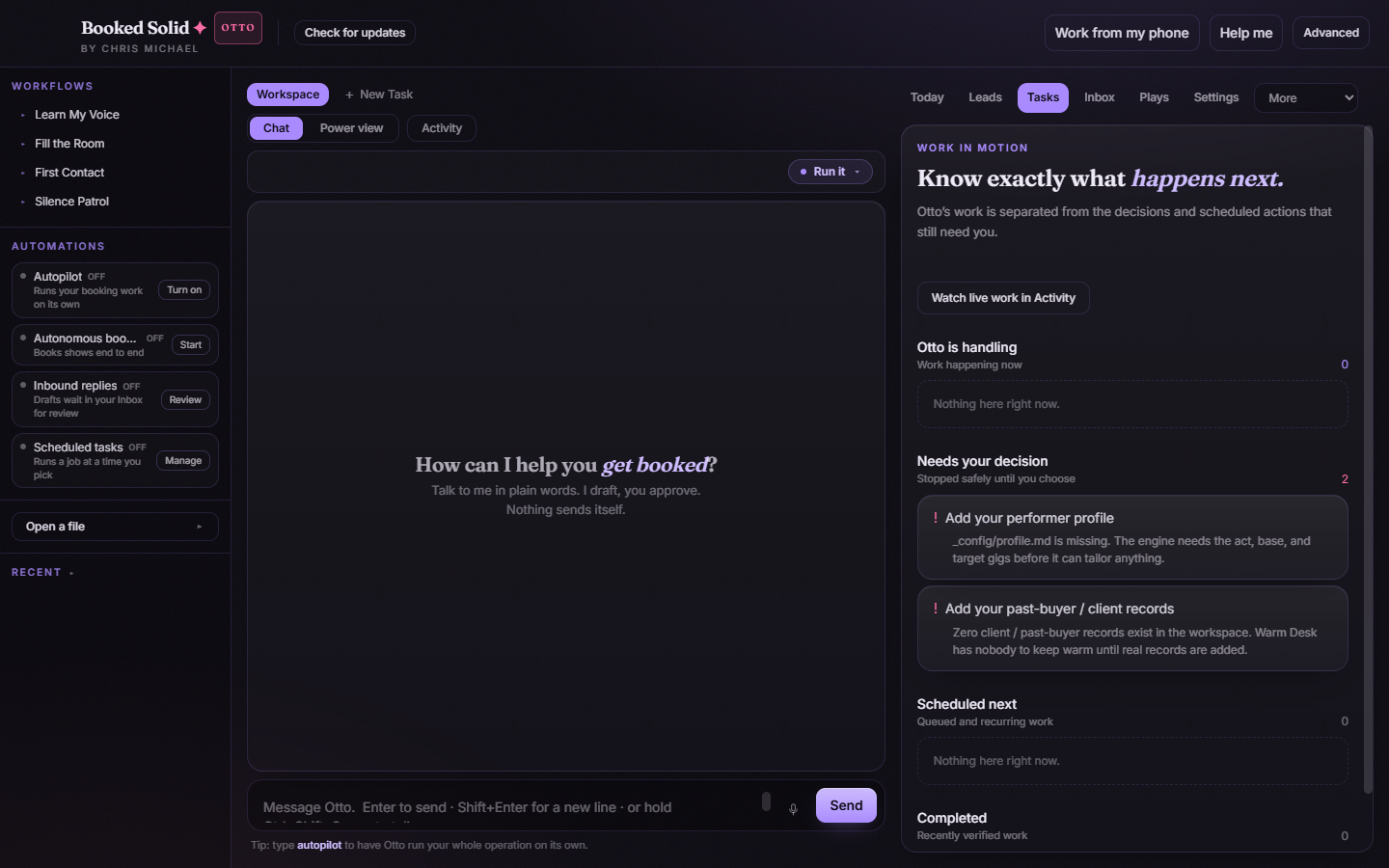
The four sections
- Otto is handling - work happening right now. If this list has items, something is actively running.
- Needs your decision - items stopped safely until you choose. This list includes gate cards: moments where Otto parked a decision, like a send that waits for your approval, instead of acting on his own.
- Scheduled next - queued and recurring work waiting for its turn.
- Completed - recently verified work that finished.
Watch the work live
The Watch live work in Activity button at the top of the tab opens the Activity view, where a running job plays out step by step and you can reply mid-run to steer it or answer Otto's questions. Use it whenever you want to see exactly what is happening rather than just that something is happening.
Acting on a decision
Items in Needs your decision link into Activity, where the decision card gives you the controls to approve it, edit it, or hold it for later. Nothing in that list moves forward until you choose - that is the point. The count next to the section header tells you how many decisions are waiting.
Tasks vs. Today
The two tabs answer different questions. The Today tab is a curated briefing: the single best next move plus short highlight lists. The Tasks tab is the full ledger: every job, every decision, every scheduled run, and everything completed, all in one scroll. When a count on Today makes you curious, Tasks is where you see the whole picture.
What you might see early on
Right after setup, the Needs your decision list often contains setup items - for example, a card asking you to add your performer profile or your past-buyer records. Clearing those gives Otto what he needs to tailor his work, so they are worth handling first.
Still stuck? Submit a ticket from this help center and we'll take it from there.
Was this article helpful?
That’s Great!
Thank you for your feedback
Sorry! We couldn't be helpful
Thank you for your feedback
Feedback sent
We appreciate your effort and will try to fix the article