The top bar is the one strip that never changes, no matter which screen you are on. It tells you who made the app, whether an update is waiting, and gives you one-click paths to your phone setup, the Help buddy, and a small Advanced menu for power users.
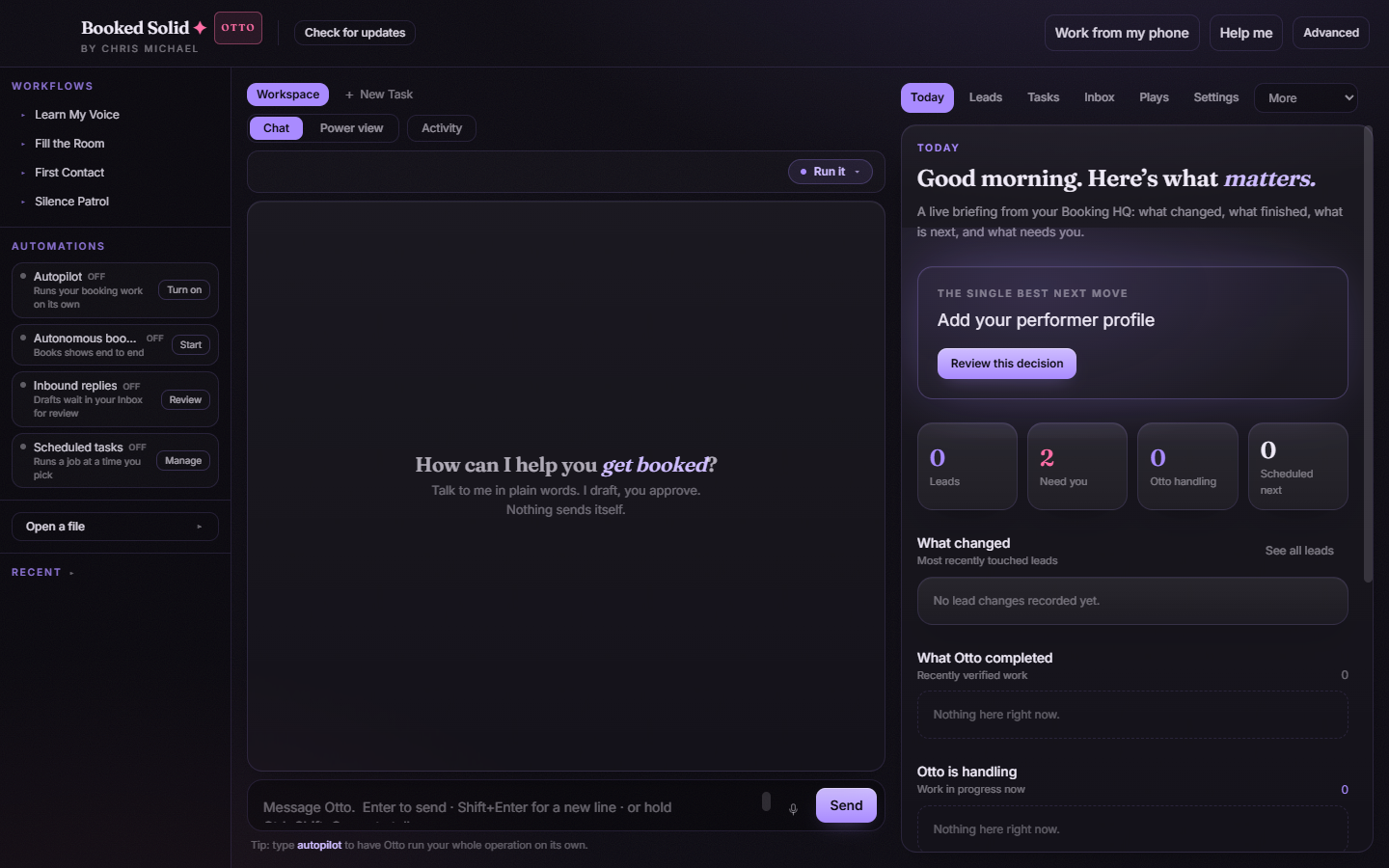
The Booked Solid credit and your tier badge
On the left you will always see Booked Solid by Chris Michael. This credit is locked - it never changes, even if you re-theme the whole app with your own colors. If your license carries the Otto tier, an Otto badge sits right next to it, so you can tell at a glance which plan you are on.
Updates: the badge and the button
Booked Solid updates itself quietly. When something is happening you will see a small badge in the top bar:
- Getting update: a new version is downloading in the background. Keep working - nothing is interrupted.
- Update ready: the download finished. Click the badge to open the update window and press Restart & install whenever it suits you.
You can also press Check for updates at any time. A small window walks through checking, downloading (with a progress bar), and ready states. Your work and saves are untouched by updates.
Work from my phone
The Work from my phone button opens the Connectors tab, where everything phone-related lives - connecting accounts and setting up ways to approve Otto's work while you are out on gigs.
Help me
The Help me button opens the Help buddy in its own window. Ask anything about the app in plain words and get a simple answer, often with a one-tap button that takes you straight to the right screen. There is a separate article on the Help buddy with the details.
The Advanced menu
The Advanced dropdown is the only technical corner of the top bar, and you can ignore it entirely if you like. It holds three things:
- Assistant: which AI runtime powers your chats.
- Thoroughness: the model tier - how carefully the assistant thinks on each run.
- This session: a plain-language readout of how much you have used the assistant in this session. It is described as simple volume, never as tokens or dollars.
Most performers never need to touch these. The defaults are chosen for you, and changing the Assistant or Thoroughness only affects how chat runs are powered, not your data or your Booking HQ.
Still stuck? Submit a ticket from this help center and we'll take it from there.
Was this article helpful?
That’s Great!
Thank you for your feedback
Sorry! We couldn't be helpful
Thank you for your feedback
Feedback sent
We appreciate your effort and will try to fix the article