You opened the app after a crash or a forced shutdown and a task now says The app closed before the result was verified. Review this before running it again so nobody is contacted twice. This article explains why that job stopped on purpose, how to see what did and did not finish, and how to get it moving again safely.
Why the job did not just restart
When the app closes in the middle of a run, Otto cannot know how far that run got. For most work that is harmless. But if the play was one that may send a message (a follow-up, a logistics reminder, a review or referral ask, or an occasion touch), the outcome is ambiguous: maybe the message went out, maybe it did not. Re-running that job blindly could contact the same person twice.
So the app splits interrupted jobs into two groups:
- Jobs that may send are marked failed with the note above. They are never replayed automatically. You review first, then re-run by hand if needed. That is how nobody gets double-emailed.
- Jobs that cannot send (drafting, research, organizing) are simply re-queued with the note The app closed before this finished, so it is ready to continue. They pick up on their own.
Where to see what completed vs what needs you
Open the Tasks tab. Work is split into four lists:
- Otto is handling: work happening right now.
- Needs your decision: stopped safely until you choose. An interrupted send-capable job lands here, with its note explaining why.
- Scheduled next: queued and recurring work. A re-queued non-send job waits here.
- Completed: recently verified work.
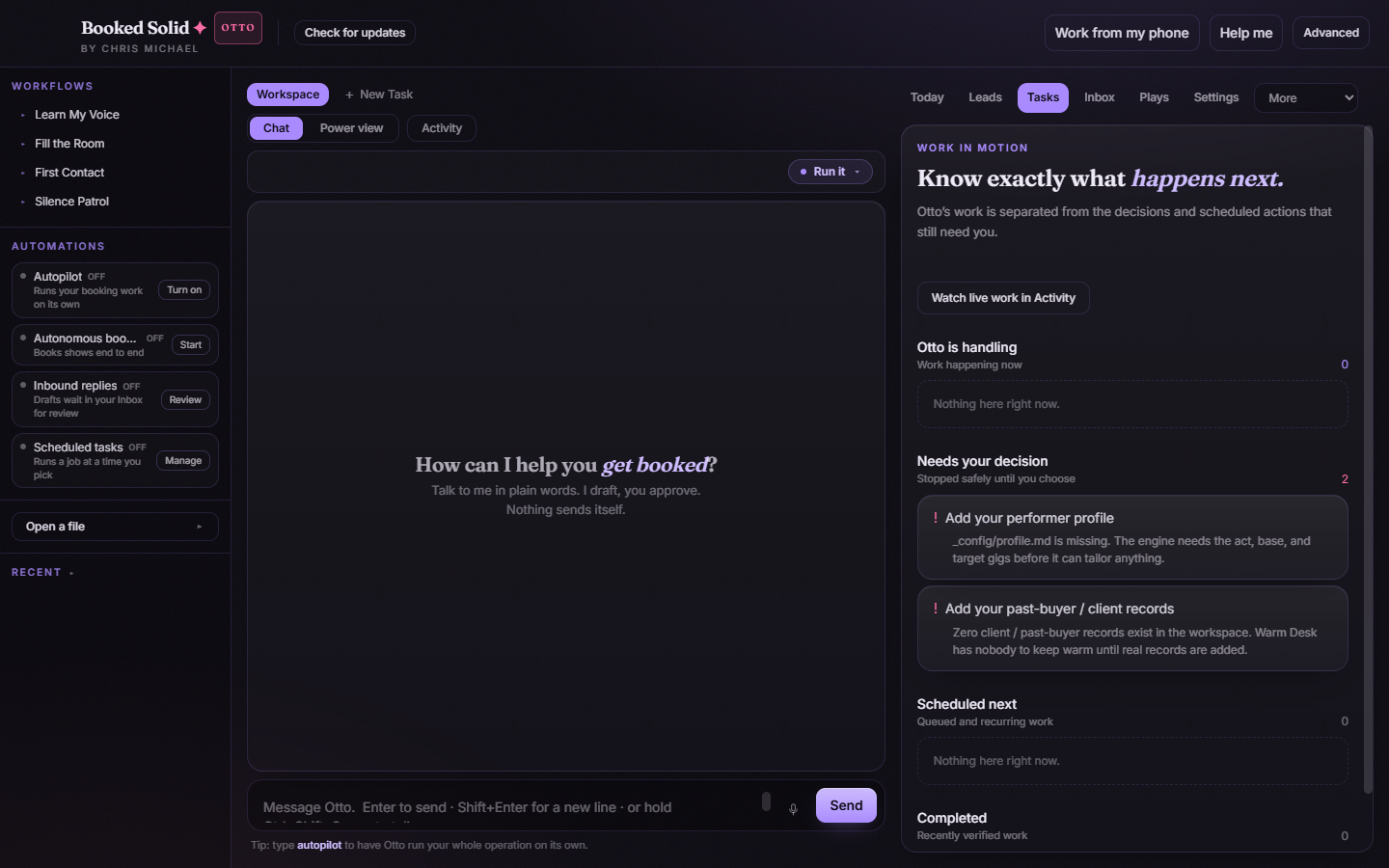
Before you re-run an interrupted outreach job, check what actually went out: look at your email account's Sent folder and at the drafts the run left behind. If the message already left, there is nothing to re-run.
"Completed" means verified, not just finished
A run does not land in Completed just because it stopped. Each play ends with an exact done signal that the app watches for, and a scheduled run only counts as complete when the run finished cleanly and that signal was seen. After a play reports done, an independent read-only check called the Second Look re-reads the files the run wrote and judges whether the work really happened. That is why the Completed list is labeled "Recently verified work".
Good to know
- Non-send jobs that stop early retry on their own, up to 3 times with growing gaps between attempts. After that they stop with Needs a look before it runs again.
- A play whose guardrail is draft-only never sends anything at all, so an interruption there costs you nothing but time.
Still stuck? Email bookedsolid@kivimedia.freshdesk.com and a person will help.
Was this article helpful?
That’s Great!
Thank you for your feedback
Sorry! We couldn't be helpful
Thank you for your feedback
Feedback sent
We appreciate your effort and will try to fix the article