House rules are standing instructions Otto always obeys, no matter how much freedom you have given him. Your floor rate, your never-contact list, and your follow-up cap all live in one cluster under Settings > General, and every one of them is enforced at the moment that matters most: the Approve button.
Where to find your house rules
- Open the Settings tab in the right pane.
- Stay on the General sub-tab. The house rules cluster sits near the top, just below the autonomy dial.
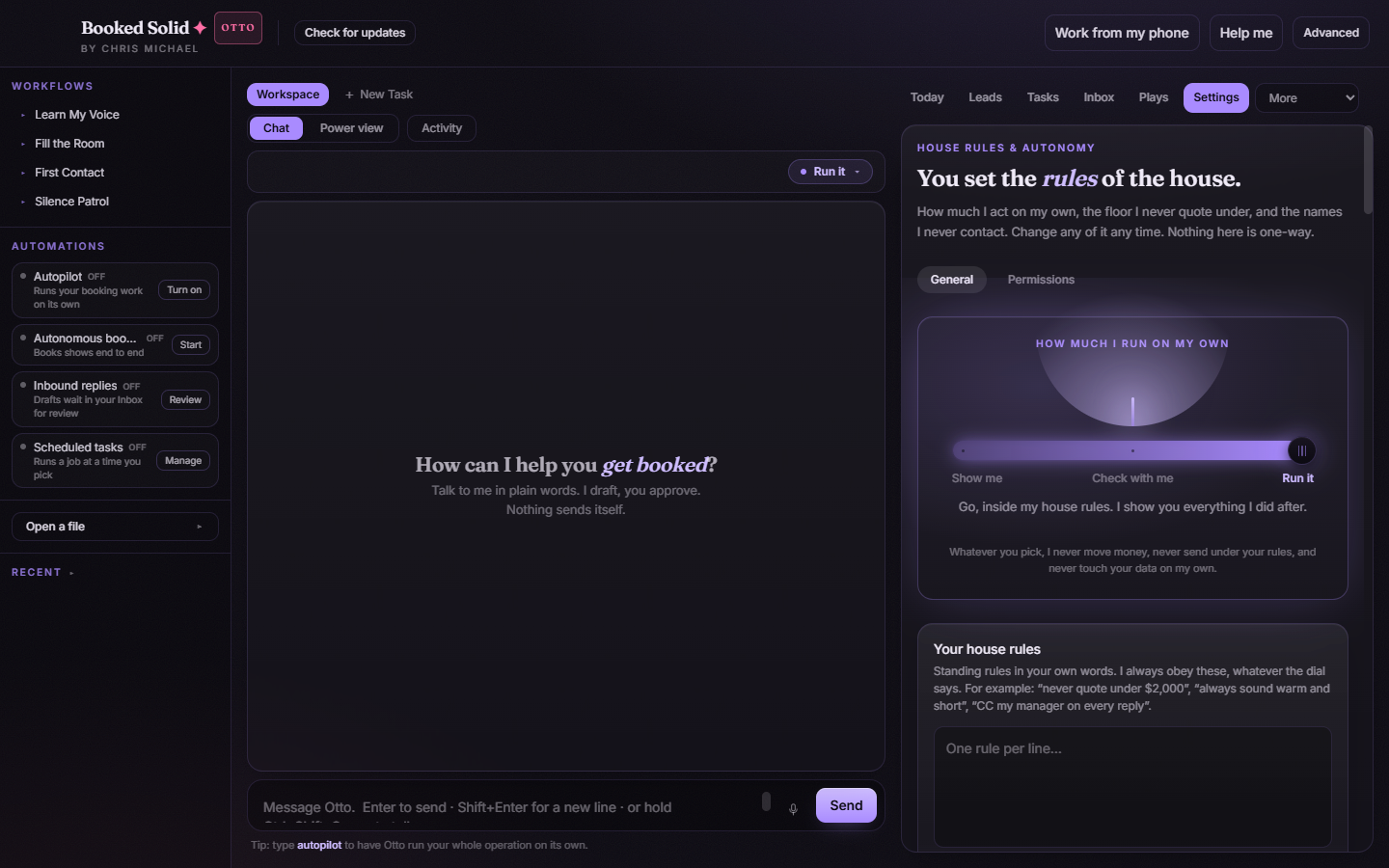
Your house rules (in your own words)
The Your house rules box takes standing rules as plain text, one rule per line. For example: "never quote under $2,000", "always sound warm and short", "CC my manager on every reply". Otto obeys these whatever the autonomy dial is set to. There is no Save button here - the box saves automatically the moment you click away from it.
Your floor rate
The floor rate is the minimum you are willing to quote. To set it:
- Pick your currency from the select. Currencies are grouped by region, so scroll to your part of the world.
- Type the amount in the field next to it.
From then on, the floor rate is checked at every Approve button. If a parked quote or send comes in below your floor, the Approve button on that decision card is disabled, with a plain reason explaining why.
Never contact
The Never contact box is your do-not-contact list. Enter one name or email address per line. Like the floor rate, this list is enforced at approval time: a send addressed to anyone on the list cannot be approved, and the card tells you which rule blocked it.
Most follow-ups per lead
This control caps how many times Otto follows up with a single lead. You have two options:
- Let Booked Solid decide - leave the toggle on and Otto picks a sensible number of follow-ups per lead.
- Set your own cap - turn the toggle off and enter a numeric limit instead.
How enforcement actually works
House rules are not suggestions. Whenever a job parks a decision for you on the Activity board, the Approve button on that card runs your rules first. Anything below your floor rate or addressed to someone on your never-contact list shows a disabled Approve button with the reason spelled out, so nothing slips through in a hurry. And nothing here is one-way: you can change any rule at any time, and the new rule applies from the next approval onward.
Still stuck? Submit a ticket from this help center and we'll take it from there.
Was this article helpful?
That’s Great!
Thank you for your feedback
Sorry! We couldn't be helpful
Thank you for your feedback
Feedback sent
We appreciate your effort and will try to fix the article